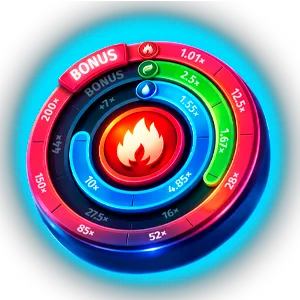
Elements of Power on Mobile
Nothing to install. Elements of Power runs straight in your mobile browser as HTML5 — the single reel, all three elemental bars, and the cashout button right where your thumb sits.
New to it on the small screen? Read how to play Elements of Power first.
Device Compatibility
BGaming built Elements of Power to run cleanly on any current mobile browser, Safari and Chrome included, with the reel and its three circular bars fitting neatly on a phone screen.
The elemental artwork streams in within a few seconds on 4G, then every spin and cashout responds instantly with no reload.
iOS
- Safari 15+
- iPhone 8+
- iPad Air 3+
- Chrome for iOS
Android
- Chrome 90+
- Snapdragon 660+
- 3 GB RAM
- Samsung Internet, Firefox
Tablets
- iPad, Galaxy Tab
- Landscape available
- Full features
Performance by Device
Flagship (2023+)
ExcellentiPhone 15/16, Galaxy S24, Pixel 8 Pro
Locked 60fps as the bars fill and the game morphs into its 1x3 bonus form. Fire and water effects stay crisp. Around 8-10% battery an hour.
Mid-Range (2021+)
GoodiPhone 12/13, Galaxy A54, Pixel 6a
Holds 55-60fps; a rare hitch when the Joker fills all three bars and the bonus transition fires. Roughly 10-12% battery hourly.
Budget (2019+)
PlayableGalaxy A14, Redmi Note 11, iPhone 8
Runs 35-50fps with lighter elemental particle effects. The bar fills and cashout prompts stay perfectly readable. Figure 12-15% battery per hour.
Troubleshooting
Sluggish first load
Close spare browser tabs and pull the opening assets over Wi-Fi before switching to mobile data.
Bonus transition stutters
Switch off low-power mode and clear background apps so the 1x3 morph has rendering headroom.
No sound
Check the hardware mute switch; on iPhone the audio only starts once you tap the reel for the first time.
Cashout tap ignored
Let the current spin resolve before tapping cashout, or rotate the device once to refresh the canvas.